The POS for Mobile Phone, Gadget & Repair Shops
The till, the workshop and your web shop in one system.
Gadgets POS is POS software for phone shops, gadget shops and repair shops. Ring up sales, returns, replacements and trade-ins; book repairs with a technician and an IMEI; track every device by IMEI or serial number; and sell online through your own Buy, Sell and Repair web shop, all from one login.
Sale, return, replace, trade-in and repair on one order
Every device tracked by IMEI or serial number
Repair board with your own stages
Online shop on the same products
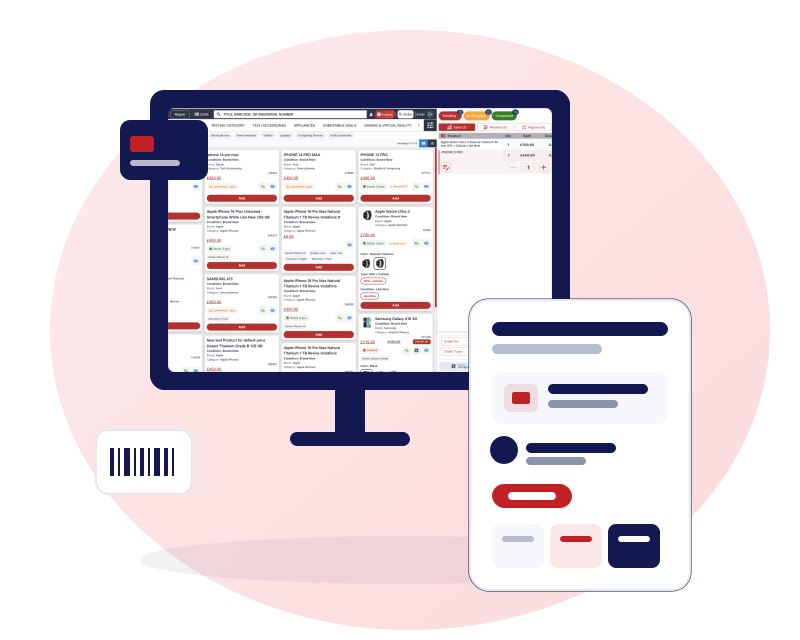
POS software for phone shops: the till, the workshop and the web shop
Most phone shops end up with a retail till, a notebook for repairs, a spreadsheet for stock and a separate website. Gadgets POS puts them in one system, so the counter, the repair bench and your online shop work from the same products and stock and nothing is typed in twice.
You decide how it fits your shop. Set your own repair stages, choose what each staff role can see and do, switch VAT on or off, and pick which parts of the web shop you want: Buy, Sell or Repair.
See how the till works, how repairs are managed and how phone shop stock is controlled.

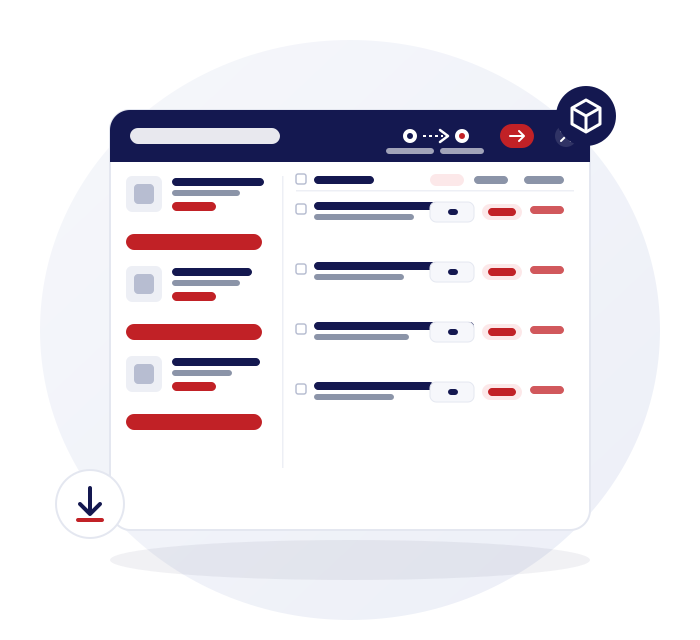
Sale, return, replace, trade-in and repair on one order
A customer buys a case, returns a charger, trades in an old handset and drops off a cracked screen. In Gadgets POS that is one order and one receipt, not four.
Every order action in one checkout
Sale, return, replace, trade-in and repair lines run through the same checkout. Credit accounts take partial payments, with a running balance for each customer. Point of sale software for phone and repair shopsRepairs with a technician and an IMEI
Each repair carries a technician, a priority, an expected collection date and the device's IMEI or serial number. It moves across a board with stages you define. Phone repair shop softwareTrade-ins at the till
Value the device, net it off the sale, and the traded-in unit becomes sellable stock under its own IMEI. Trade-in and buyback softwareSeveral branches, one login
Switch between your shops from one login, give each person their own permissions and report per branch or across all of them. Stock moves between branches by request and approval. Multi-store POSDaily closing, VAT and expenses
Close the day with cash, card and bank reconciled, choose VAT inclusive or exclusive, and log daily and recurring expenses as they happen. Daily closing and VAT softwareYour online shop on the same products
Take Buy, Sell and Repair orders on your own web shop, set up with our team, using the same products and stock as the till. POS with an online shop
Every device tracked by IMEI or serial number
Phones are not interchangeable stock. Each unit has its own IMEI or serial number, cost and history, and Gadgets POS treats it that way from purchase to sale.
One record per device
Every IMEI or serial number is its own stock record with its own cost, so you know which unit you sold and what it cost you.
Scan to sell, with a double-sale guard
Scan an IMEI at the till to add the unit to the cart. A unit that is already in another open cart anywhere in your business is refused.
Stock you can audit
Stock is never deleted. It moves through sales, purchase receipts, returns, trade-ins and recorded adjustments, with FIFO costing behind your margin.
Read more about IMEI and serial number inventory software or phone shop inventory management.
Your own online shop on the same stock
Gadgets POS includes a web shop in your own brand with Buy, Sell and Repair sections. We set it up with you, and you switch on only the parts you need.
Buy: sell new and used stock online
Sell phones, accessories and gadgets on your own branded shop, with store pickup and your choice of Stripe, Square, PayPal, myPOS or cash on delivery. POS with an online shop for phone and gadget shops
Sell: online trade-in quotes
Customers pick a device and its condition, get a quote, choose a postage method and decide how they want to be paid: voucher, PayPal, bank transfer or cash. After inspection you can revise the price, with a reason and photos. A sell-your-phone website that runs off your POS
Repair: price list, booking and mail-in
Publish your repair prices, take appointments with email reminders that customers can reschedule or cancel, or accept mail-in repairs. Online repair booking for phone and gadget repair shops
The same products and stock as your till
The shop sells from the products and stock you already manage in Gadgets POS, so there is no second catalogue to keep up to date.
Store locator and ratings
Show each of your stores with its address and Google rating, and let customers find the nearest branch by postcode.
SEO tools for every product and page
Set titles, descriptions and robots rules per product, category and page, add 301 redirects, and edit your robots.txt, all from your site settings.
Built for your kind of business
A phone shop, a repair bench, a trade-in counter and a wholesaler all use stock differently. Pick the page that matches how you trade.
Mobile phone shops
New and used handsets, accessories, IMEI stock, trade-ins and repairs behind one counter.
UK shops that want an EPOS
VAT, receipts, daily closing and the hardware UK phone shops already use.
Repair shops
Intake with IMEI, technician and priority, parts from lab stock and profit on every job.
Trade-in and buyback
Value a device at the till or online, net it off a sale and put the IMEI into stock.
Wholesalers and distributors
Serialised stock, credit customers with ledgers, container shipments and A4 documents.
Shops that sell online
A branded Buy, Sell and Repair web shop that uses the same products and stock as your till.
Also for Gadget and electronics shops, Computer and laptop shops, Second hand and refurbished phones, IMEI inventory software, Clothing and apparel stores, Mobile and electronics shops in Pakistan. See every business type we suit or read our guides for phone and repair shop owners. Need the counter kit? We supply a touch-screen terminal, an 80 mm receipt printer and a 2D scanner at one-off prices: see touch screen POS hardware for phone shops.
How Gadgets POS runs a shop day, from opening to closing
Set up your shop
Add your products or import them from a CSV, set up repair stages and staff roles, and connect each branch under one login.
Sell, repair and trade in
Scan items or IMEIs at the till, book repairs with a technician, take trade-ins against a sale and print receipts on 58, 72 or 80 mm thermal paper or A4.
Check stock and reorder
Run stock checks by scanning, request or transfer stock between branches, and use the purchase planner to see what to reorder from your sales history.
Close the day
Reconcile cash, card and bank, log expenses, and download the reports your accountant asks for as PDF or CSV.
Questions shop owners ask
Straight answers on IMEI tracking, repairs, trade-ins and your online shop. For anything else, get in touch.
See all FAQsCan Gadgets POS handle sales, repairs, trade-ins and stock in one system?
Yes. Sales, returns, replacements and trade-ins run through one checkout. Repair jobs sit on the same order with a technician and an IMEI. Stock, suppliers and daily closing live in the same account, and your online shop uses the same products, so there is nothing to reconcile between tools.
How much does Gadgets POS cost?
We quote by shop, and there is no public price list yet. Tell us how many shops you run and whether you want the online shop, and we will give you a price. You can start with a 15-day free trial before you decide. The pricing page explains how we quote and what every plan includes.
Does Gadgets POS track IMEI and serial numbers?
Yes. Serialised products keep one stock record per IMEI or serial number. You can scan an IMEI at the till, and a unit already in another open cart anywhere in your business is refused, which stops the same phone being sold twice. You can search an IMEI across sales, returns and trade-ins.
Can I run more than one shop from one login?
Yes. You can switch between branches from one login, give each person their own permissions, and report per branch or across all of them. Each branch has its own stock and closes its own day, and bulk closing covers several at once. Stock moves between branches by request and approval.
Do I get an online shop with Gadgets POS?
Yes. You can have your own branded web shop with Buy, Sell and Repair sections, store pickup and a store locator, set up with our team. It uses the same products and stock as your till and includes SEO tools for each product, category and page. Ask in your demo which sections suit your business.
Ready to run your shop on Gadgets POS?
See the till, stock, repairs, trade-ins and online shop working together. Start your 15-day free trial and we will set it up around your shop, or ask for a demo first.